Give each introduction a clear next step
A conference introduction usually leaves someone with a practical question: where can I read the paper, find the dataset or contact this person later? Build your digital card around the next step you actually want to support. A complete academic history can live elsewhere. The first screen should make your name, present affiliation, research area and most relevant link easy to recognize.
Write a short research description in language that an adjacent discipline can understand. 'I study how coastal wetlands respond to changing water levels' gives a visitor a useful starting point. Add precise project terminology after that sentence. The card should help someone remember a conversation without requiring them to reconstruct it from a long list of publications.
Use researcher and publication identifiers for their intended jobs
ORCID provides a persistent researcher identifier and a QR that opens the researcher's public ORCID record. A DOI identifies an object such as a publication or dataset and can resolve to information about that object. These are useful, different destinations: one helps identify the researcher; the other identifies a particular output.
Include your actual ORCID record when useful, and prefer the publisher's or repository's documented publication link over an incidental browser download address. Check what visitors receive. A DOI is not a promise of free full-text access, so describe a publisher landing page honestly and add an authorized open version if you have one. Weyno can organize these links on a profile; it does not issue an ORCID iD or a DOI.
Separate your profile from the poster's resource page
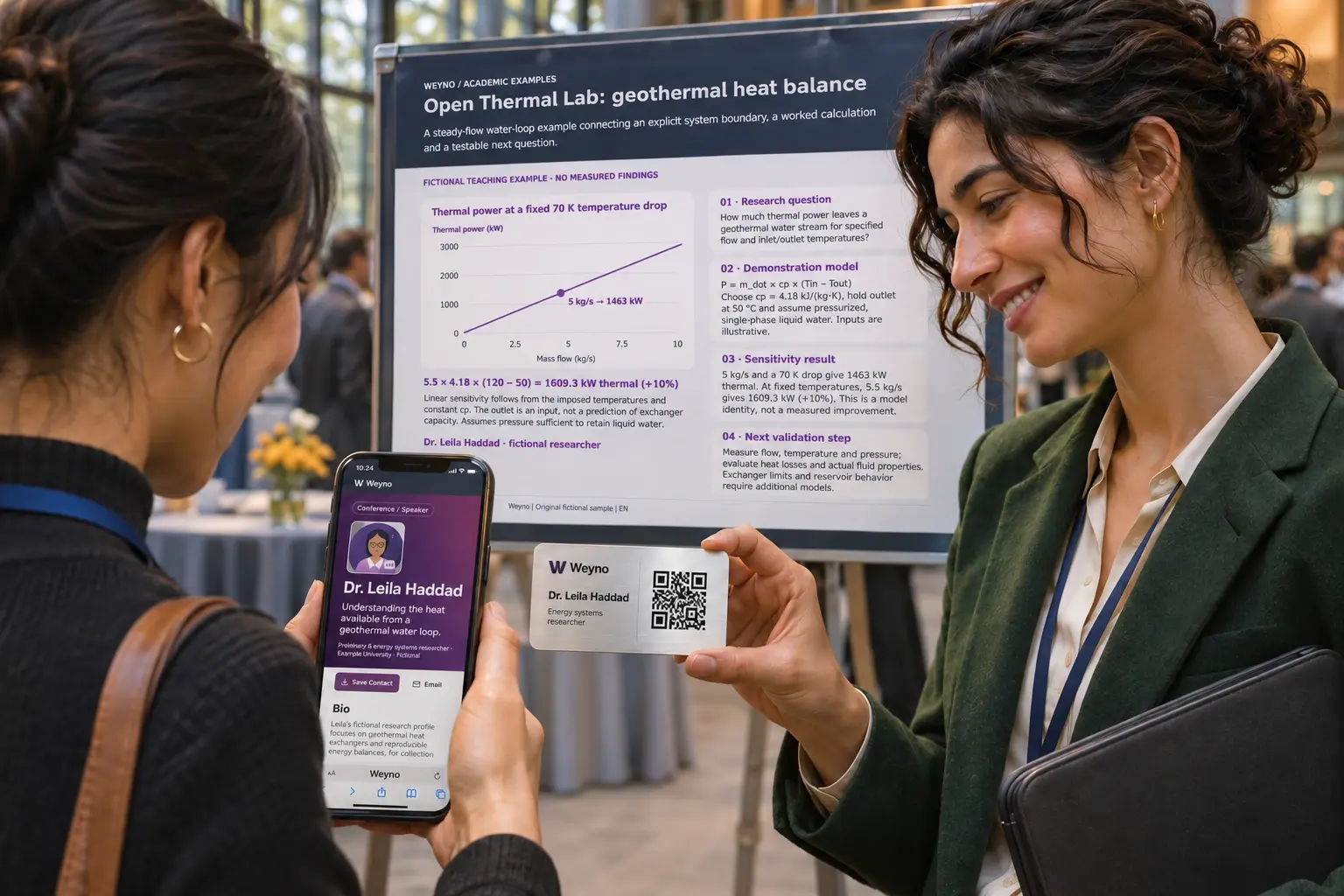
Your reusable card can lead to your broader professional profile. The QR beside a poster should lead to resources for that poster. Label it with the outcome, such as 'Paper, methods and dataset', so someone can decide whether scanning is useful. Include a readable destination or other contact route for people who cannot or prefer not to scan.
A compact resource page might contain the poster title, author list, conference name, a short overview and three clearly named links. Label a preprint as a preprint and identify the version of a dataset or method where that distinction matters. Avoid presenting an unpublished draft as an accepted paper. Confirm that every shared file is yours to distribute and has the intended public permissions.
Illustrative example: a poster conversation that can continue
Consider a fictional doctoral researcher, Sami, presenting a study of urban shade. His poster QR opens a resource page with the poster PDF, the repository record for the analysis and a short note explaining the data. His professional card opens a profile with his current institution, ORCID link and a work contact method. The two codes have distinct labels.
During a discussion, a visitor asks about the sampling method. Sami points to the methods link and asks whether the visitor would like a follow-up conversation. This example illustrates organization, not a measured networking outcome. No scan, download or card exchange by itself establishes that the visitor wants a mailing-list subscription.
Prepare the Weyno materials in a predictable order
Start in My cards and prepare your researcher introduction. Review the public fields before publishing. Add the links and documents available to your profile, with short labels that tell people what they will open. When using a Weyno-hosted PDF, make it visible and publish it before copying its public destination. Saving a static QR project alone does not publish the file.
Use the QR collection for separately named poster, project or conference destinations. It exports PNG and SVG images for your poster or slide tool. Card Studio is the separate route for complete card artwork and eligible card PDF layouts. Check the resulting file in the layout you will actually present: a QR that looks large in an editor can become tiny after the whole poster is scaled.
Run a rehearsal before travelling
Ask a colleague to use the materials without instructions. Have them scan the final poster proof, identify the paper and open the resource you consider most important. Notice where they hesitate. Replace ambiguous labels such as 'More' with descriptive names such as 'Poster PDF' or 'Analysis repository'. Test while signed out, since your own account can conceal permission problems.
Prepare for a poor connection. Save the lightweight Weyno Wallet on your own device before leaving, then test its saved presentation. That can help you display your card and QR, but visitors still need internet to open a public profile or linked paper. Keep a readable name and contact route on the material as a fallback.
Further reading: [5]
Keep the page useful after the conference
After the event, check that the promised materials remain available. Add the final publication when appropriate while clearly distinguishing it from the conference version. Keep notes about an agreed follow-up factual and relevant to the discussion. A maintained resource page is useful because the visitor can return to it, not because a QR guarantees citations or collaborations.
- Name the researcher, current affiliation and research topic clearly.
- Give the poster and the personal card distinct destinations.
- Test public access to papers, posters and datasets while signed out.
- Label versions, access restrictions and file types accurately.
- Prepare an offline presentation and a readable fallback contact.
Sources & further reading
Primary references support the technical guidance. Product behavior is described separately. Examples are illustrative; no customer results are claimed.
Share this guide
What should someone see when they scan your poster? Build a digital academic profile around your CV, your best work and a clear invitation to follow up.