At the poster
Let someone scan your QR, read the short summary and open the material they want to keep.
FOR STUDENTS, FACULTY & RESEARCHERS
A digital academic profile for the people you meet at conferences, poster sessions and campus events. Share your CV, research, projects and scholarly links from one QR.
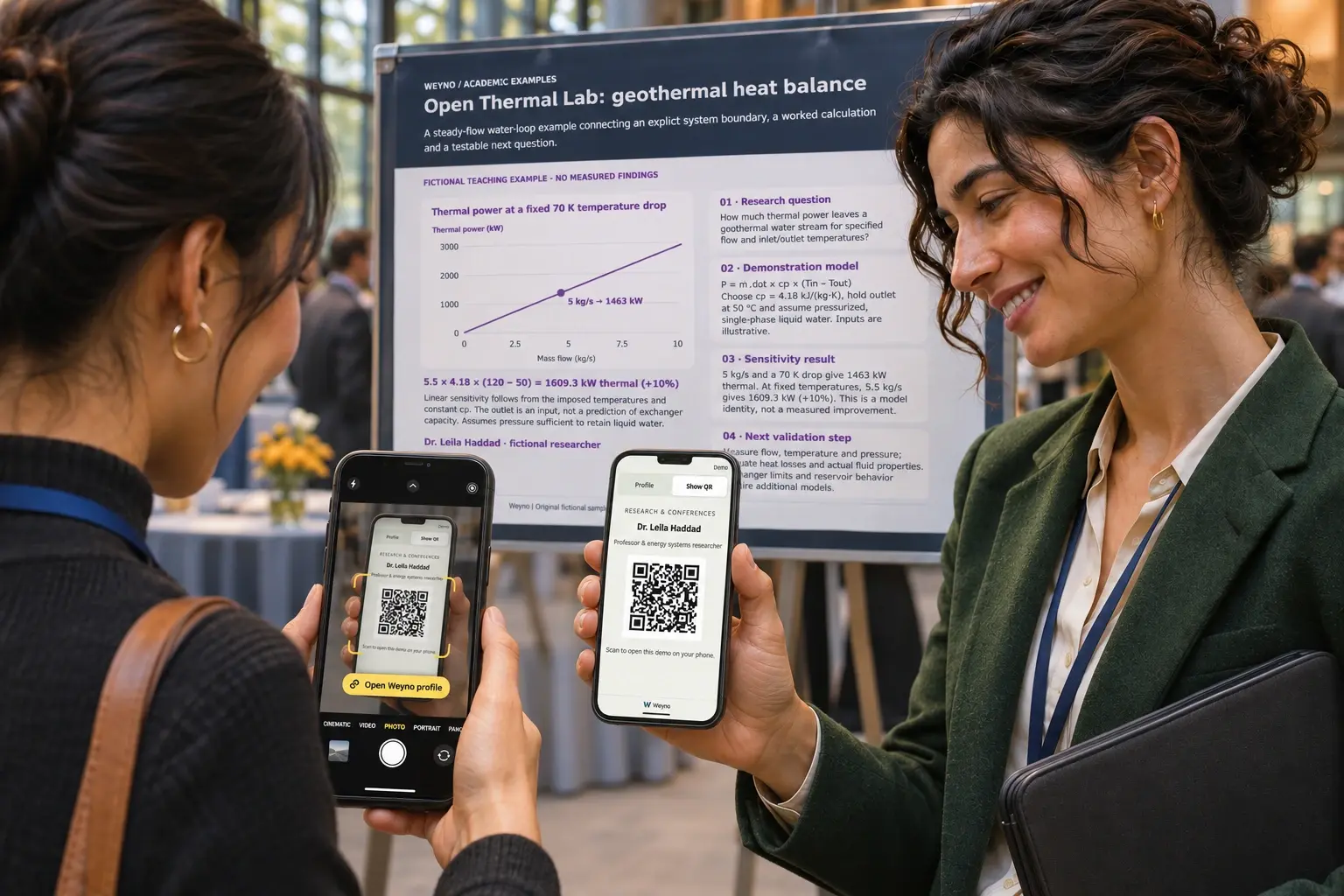 Illustrative conference scene
Let someone scan your QR, read the short summary and open the material they want to keep.
Share the same profile link in your slides or follow-up email. Publish updates as your work develops.
Keep a clear introduction, selected work and contact details ready for internship, research and collaboration conversations.
Fictional people · original sample materials
Try the colors, explore each profile, and open the CV, research note or interactive project. These are examples to help you prepare your own work.
Fictional profiles and sample contact downloads. Demo actions do not send messages or create bookings.
Browse original, clearly labeled examples. Use their structure as inspiration; replace the fictional content with your own work.
 Fictional people · original sample materials
Introduce your studies, a capstone or research project, and the opportunities you want to explore.
Build my student portfolio Fictional people · original sample materials
Connect your research interests, selected publications, teaching and collaborations in a concise introduction.
Build my research profileExamples & guide
Start small. A strong introduction and two good examples of your work are enough for a first version.
Use Student for your studies and early work, or Work for a faculty or research introduction. Speaker and Conference templates suit event-focused profiles. These are content templates, not plans.
Add your name, role and institution, then write two short sentences: your research question or interests, and the kind of conversation you welcome. Add a photo if you want one.
Include a CV and two or three relevant projects or papers. State your contribution, the method and the result. Label unpublished work and distinguish illustrative data from findings.
Add your own LinkedIn, Google Scholar, ResearchGate, ORCID, laboratory or repository URLs. Link an interactive app where it is hosted; Weyno opens that link rather than hosting arbitrary HTML apps.
Check the public view, each link, language and QR on a phone. Publish only the details you want to share. Put the QR on a slide, poster or card, and update your saved Wallet online before your event.
Preparing a draft does not start a trial. Your first approved publication starts the 30-day Premium trial after confirmation. Review the current plan and any education offer before subscribing.
For a paper, CV or event, make a static QR from its published web link. Download PNG or SVG from your QR collection. Card Studio creates print PDFs for your profile cards.
Academic Premium
Choose your institution, confirm your institutional email or submit private evidence. Track your status and reviewer replies in your account.
Bring your CV, selected papers and projects together in one profile. Make your next conference conversation the start of a lasting connection.
Includes Premium features. Verify your academic affiliation each year to keep the rate.
Apply now, follow your review and choose a plan after approval.
FOR STUDENTS, FACULTY & RESEARCHERS
All three. Choose a template for the material you want to share. A student might show a capstone and CV; a researcher might share selected papers, projects, a laboratory link and collaboration interests.
Yes. Add supported documents and links to material you can share. An app or repository opens at its own website. Weyno does not host arbitrary HTML apps or claim to verify your research.
Your published profile can show the contact details and links you choose. With eligible features enabled, visitors can also share their details through your card. Messages and bookings are unavailable on the fictional example profiles.
The saved Wallet keeps the saved card and QR on that device. External papers, websites and interactive projects still need an internet connection. Reconnect and update your Wallet after changes.
An eligible, verified academic mailbox confirms access to that email address. It does not prove current enrollment, employment or an academic credential. When an education offer is open, an accepted institution email domain can qualify automatically; other addresses, including those outside .edu, can request an individual review.
Education eligibility & review